WEEKLY AI BOOTCAMP SUN, NOV 22 · 4PM–8PM (GMT+1)
$100 Early-Bird
Price Increases In:
04Days
20Hrs
24Mins
19Secs

LIMITED SPOTS LEFT! Work With Me Live to Install, Customize & Automate Your Own AI Video Editor

Get Edit Studio 2.0 + All 53 Viral Templates (For Google Gemini Pro & Claude Code) Installed on Your Laptop & Build Your First Automated Video Live With Me!

▶ WATCH THE 4-MINUTE WALKTHROUGH & LIVE DEMO 🔊 TURN ON SOUND

⚡ Price Increases to $299 When the Countdown Hits Zero (Or Once All 100 Spots Are Taken) • Instant Redirect to the Private Buyers WhatsApp Group

Your Footage. Your Brand. A Style That Already Works.

How to Automate Your Entire Video Production & Render Agency-Grade Edits in Minutes

📅 LIVE BOOTCAMP DATE: Sunday, November 22nd • 4:00 PM – 8:00 PM (GMT+1 / Nigerian Time) ⚡ $100 Early-Bird Pass (Increases When Timer Ends)
Here's What You'll Get at the LIVE AI Editor Setup Bootcamp:

LIVE "Zero-to-Installed" Setup Training (Sun, Nov 22nd · 4PM–8PM WAT)

On Sunday, November 22nd from 4:00 PM to 8:00 PM (GMT+1 / Nigerian Time), we go step-by-step together live to install Edit Studio 2.0, HyperFrames, FFmpeg, and all 53 viral templates onto your Mac or Windows laptop in a single command (bash install.sh)—configured for both Google Gemini Pro and Claude Code.

Dedicated Brand DNA & Voice Lock Session

This is a 4-hour hands-on implementation bootcamp—so you actually DO the setup live with us. We lock in your brand hex colors, fonts, handle, B-roll folder, and voice transcription so every template automatically builds in your exact brand identity.
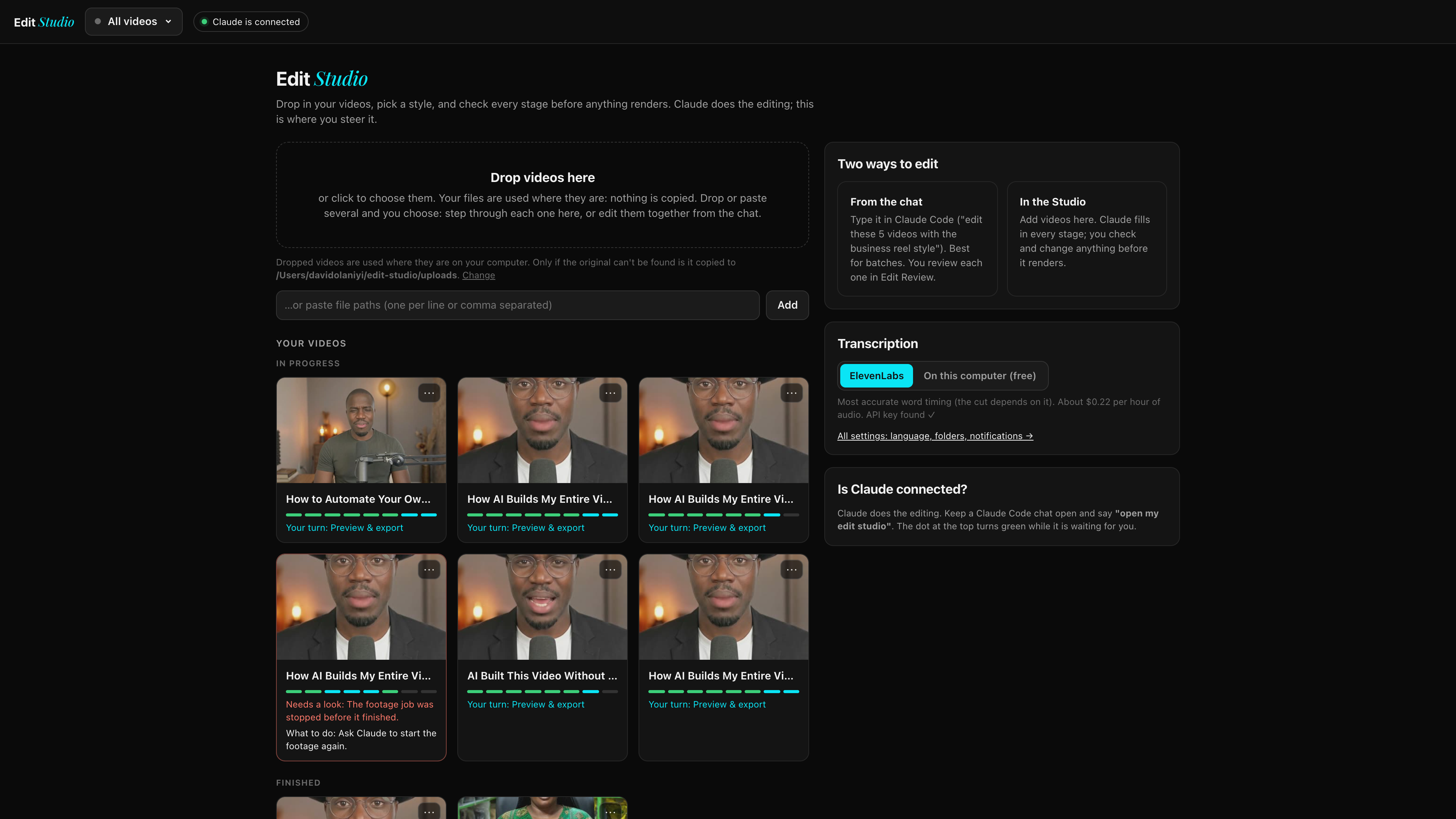
Edit Studio 2.0 Dashboard
EDIT STUDIO 2.0 DASHBOARD · RUNS LOCALLY AT LOCALHOST:4191 WITH $0/MO FEES
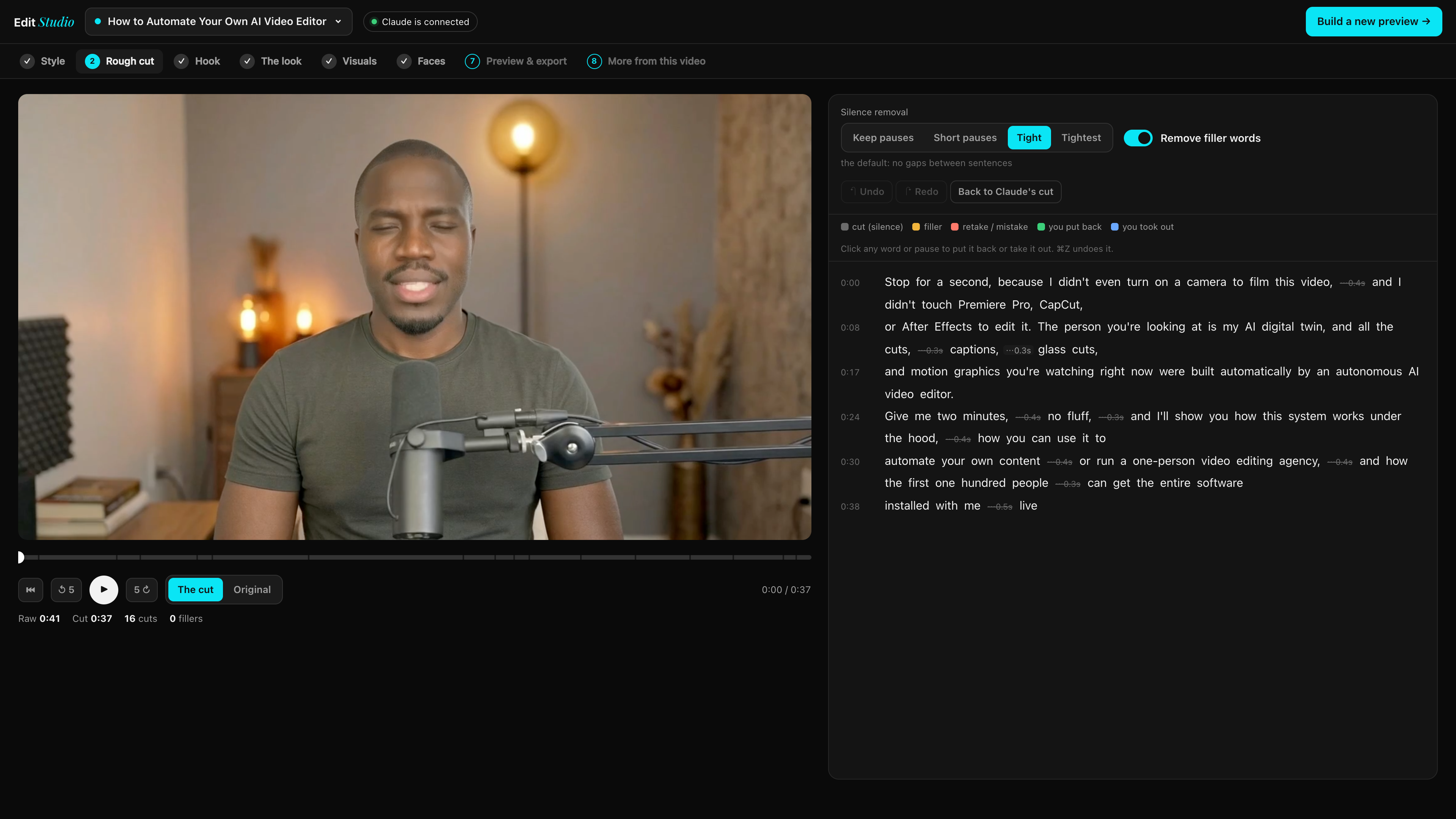
Edit Studio Automatic Silence & Rough Cut
WORD-LEVEL SILENCE REMOVAL & TRANSCRIPT ROUGH CUT INSIDE EDIT STUDIO

Live First-Video Implementation Sprint

Before we wrap up at 8:00 PM Nigerian Time, you will drop a raw talking-head video into Edit Studio, watch it strip out every silence and filler word, pick a viral style, and render your first finished 1080p Reel, YouTube edit, and 4:5 Instagram Carousel live on the call.

1-on-1 Live Troubleshooting & Buyers WhatsApp Group

Immediately after payment today, you are redirected straight into our Private Buyers-Only WhatsApp Group where you get your Pre-Bootcamp Readiness Checklist, software files, and live troubleshooting support before Sunday's class starts.

Steer Every Stage Before It Renders

Click through the 6 stages below to see how you steer your AI Editor inside Edit Studio:
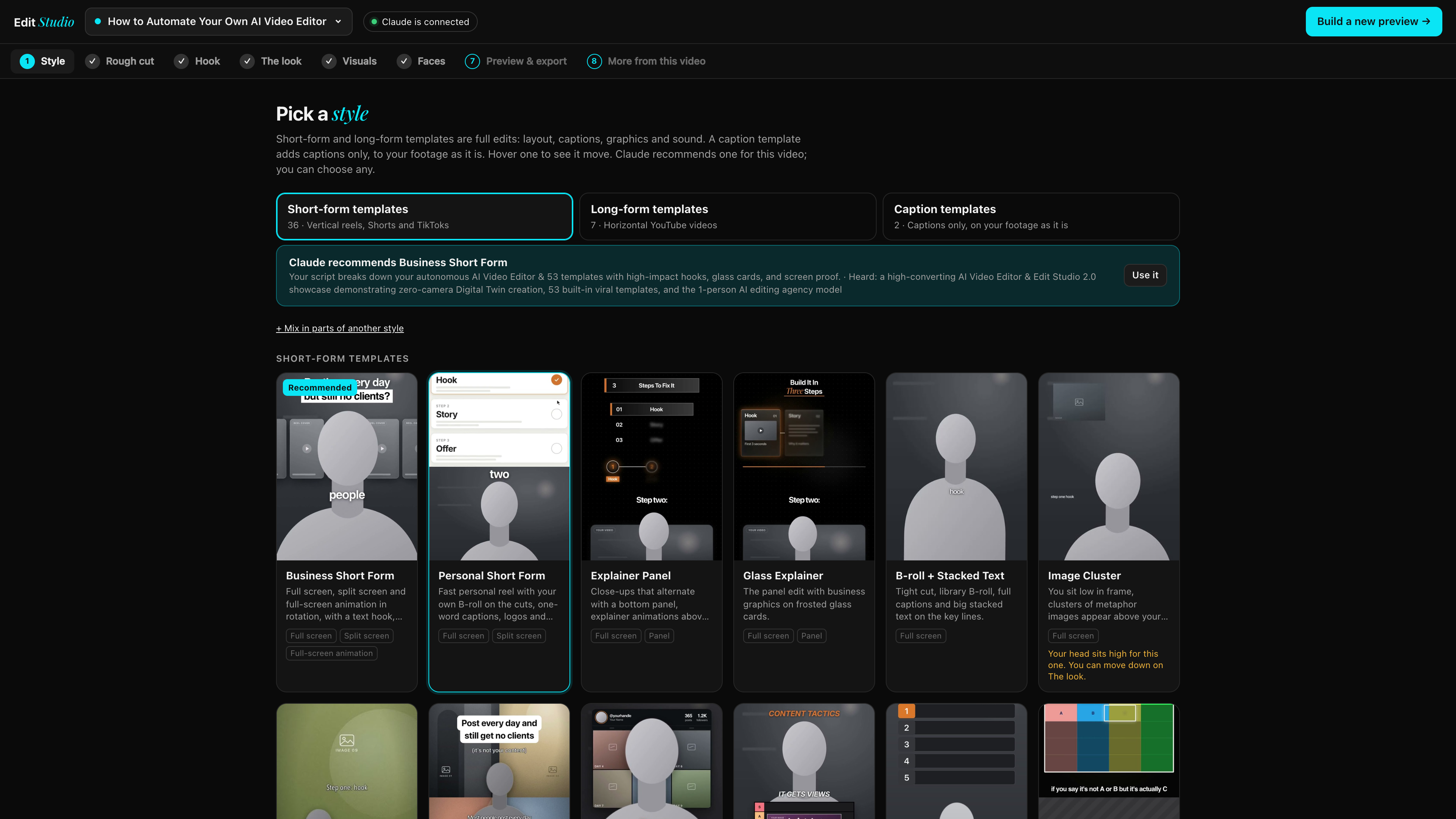
Edit Studio Stage Preview

Stage 1: Pick a style

Your AI Editor analyzes your transcript and recommends the best template for your script. Your saved brand styles sit at the top, and you can mix elements from any style.

A Look at a Few of the 53 Included Template Layouts: 37 Vertical Reels (9:16) · 9 YouTube Styles (16:9) · 7 Carousel & Content Builders

Every template below is a complete editing architecture (cuts, pacing, typography, motion cards, and sound mix) that automatically adapts to your face, your footage, and your brand colors:
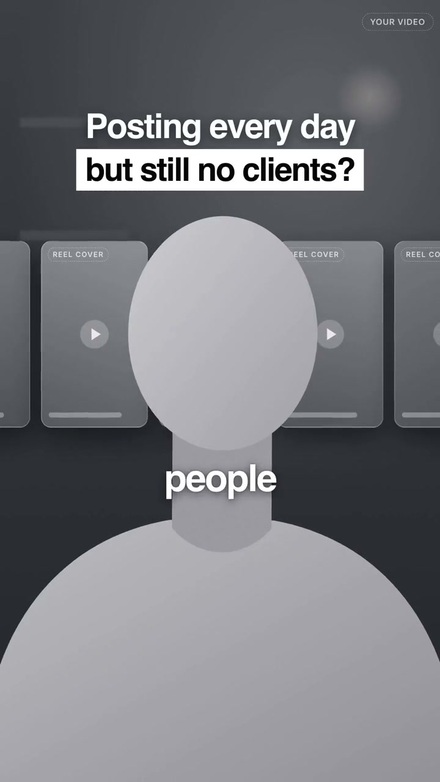
Business Short-Form Template Screenshot

Business Short-Form

9:16 Reel

Alternates full-frame talking head, split-screen proof, and full-screen motion graphics on every beat.
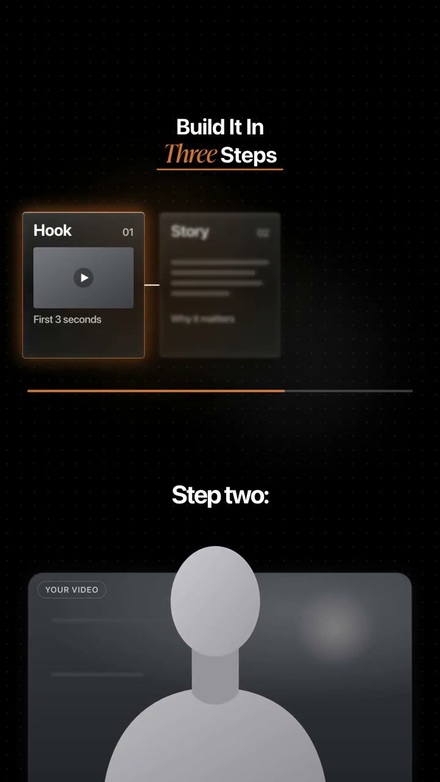
Glass Explainer Panel Template Screenshot

Glass Explainer Panel

9:16 Reel

Places you in a rounded bottom panel while frosted liquid-glass cards and counters animate above you.
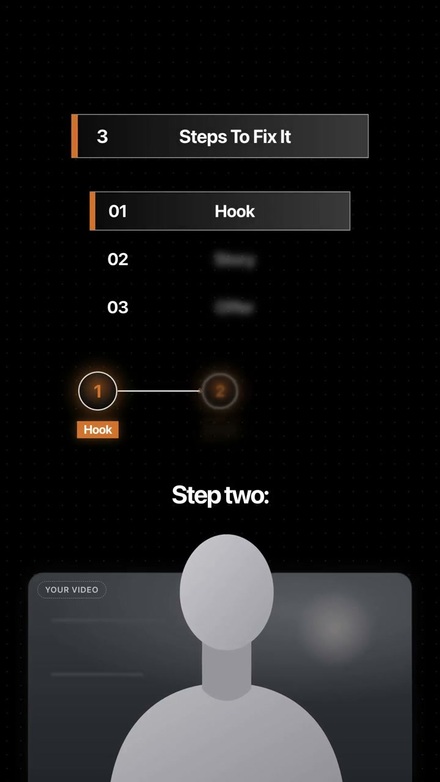
Step-by-Step Explainer Template Screenshot

Step-by-Step Explainer

9:16 Reel

Clean numbered steps and node diagrams animate in the top half while you teach below.
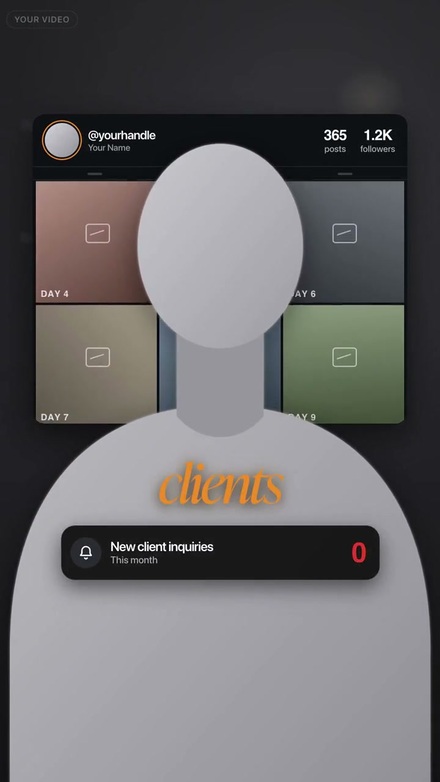
Depth UI Behind Head Template Screenshot

Depth UI Behind Head

9:16 Reel

Cuts you out automatically and floats real social grids, cards, and notifications behind your shoulders.
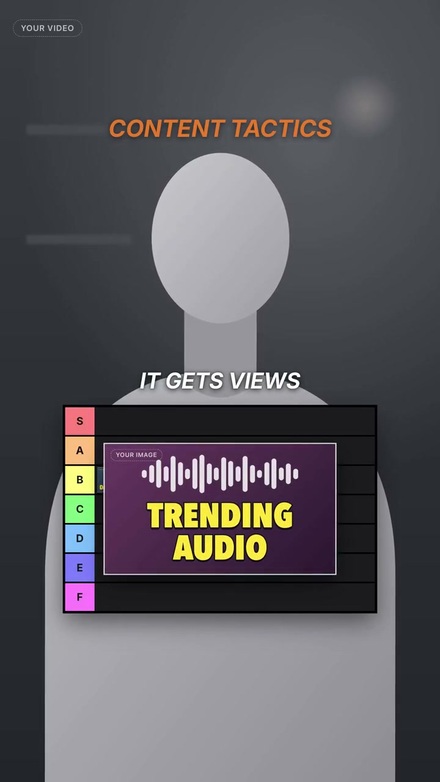
S-to-F Tier List Board Template Screenshot

S-to-F Tier List Board

9:16 Reel

Each item you rank pops up as a picture card and drops into its S, A, B, C, or F tier row on your verdict.
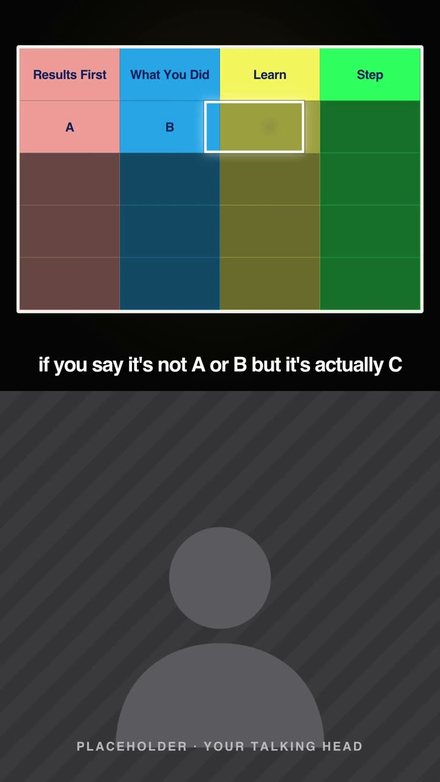
If / Then Colored Grid Template Screenshot

If / Then Colored Grid

9:16 Reel

A 4-column colored logic table at the top of the screen fills in one cell at a time as you speak.
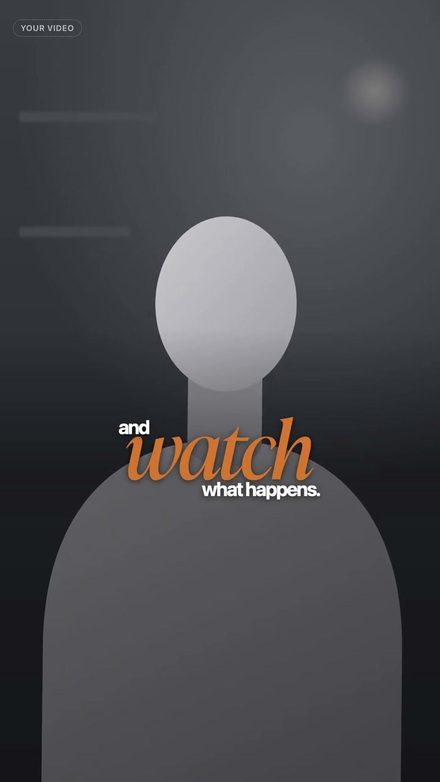
Fitted Stacked Captions Template Screenshot

Fitted Stacked Captions

9:16 Reel

Sets your emphasized keyword large in your brand accent color and tucks the remaining words around it.
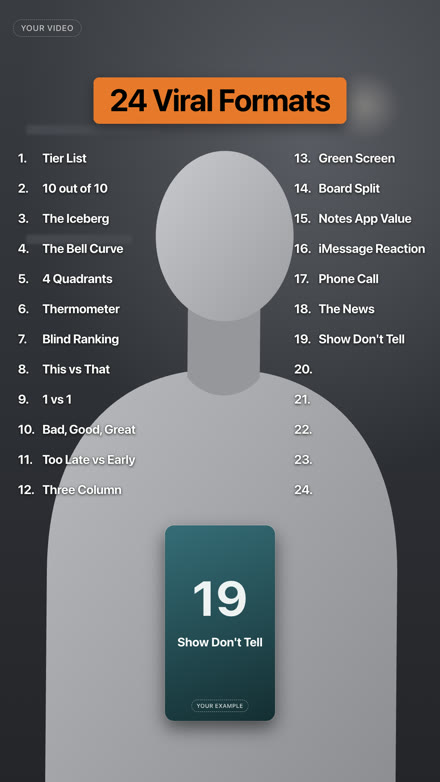
Rapid Numbered List Template Screenshot

Rapid Numbered List

9:16 Reel

Fills in a live numbered list on screen word-by-word as you rattle through tips, tools, or examples.
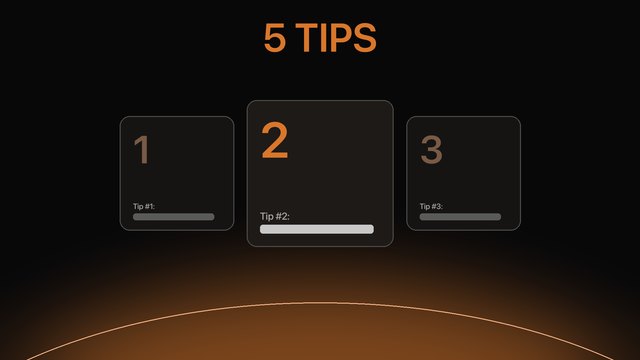
Tips Breakdown YouTube Template Screenshot

Tips Breakdown YouTube

16:9 YouTube

Built for list & teaching videos: 3D chapter markers, frosted side cards, and full-screen diagrams.
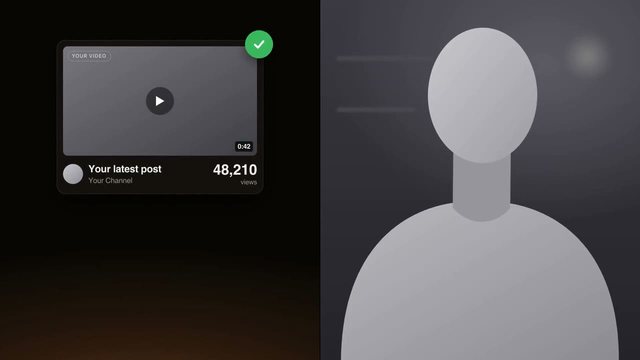
Educational YouTube Editor Template Screenshot

Educational YouTube Editor

16:9 YouTube

Tight dialogue cut with floating proof cards, punch-ins, and side-by-side visual callouts.
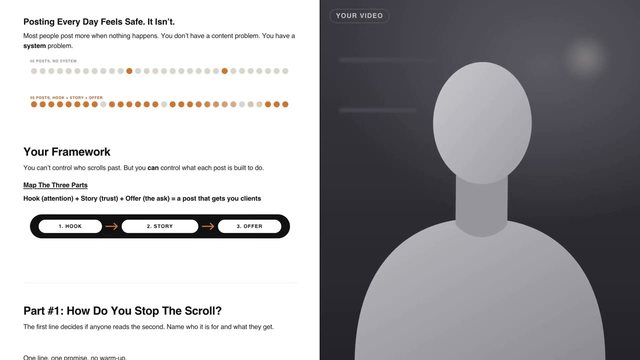
Split-Screen Lesson Doc Template Screenshot

Split-Screen Lesson Doc

16:9 YouTube

Builds the clean on-screen teaching document on the left half of the screen while you teach on the right.
PLUS A VIP BONUS PACKAGE INCLUDED FREE WITH YOUR $100 PASS
BONUS #1: No Camera? No Problem.
VALUE: $197
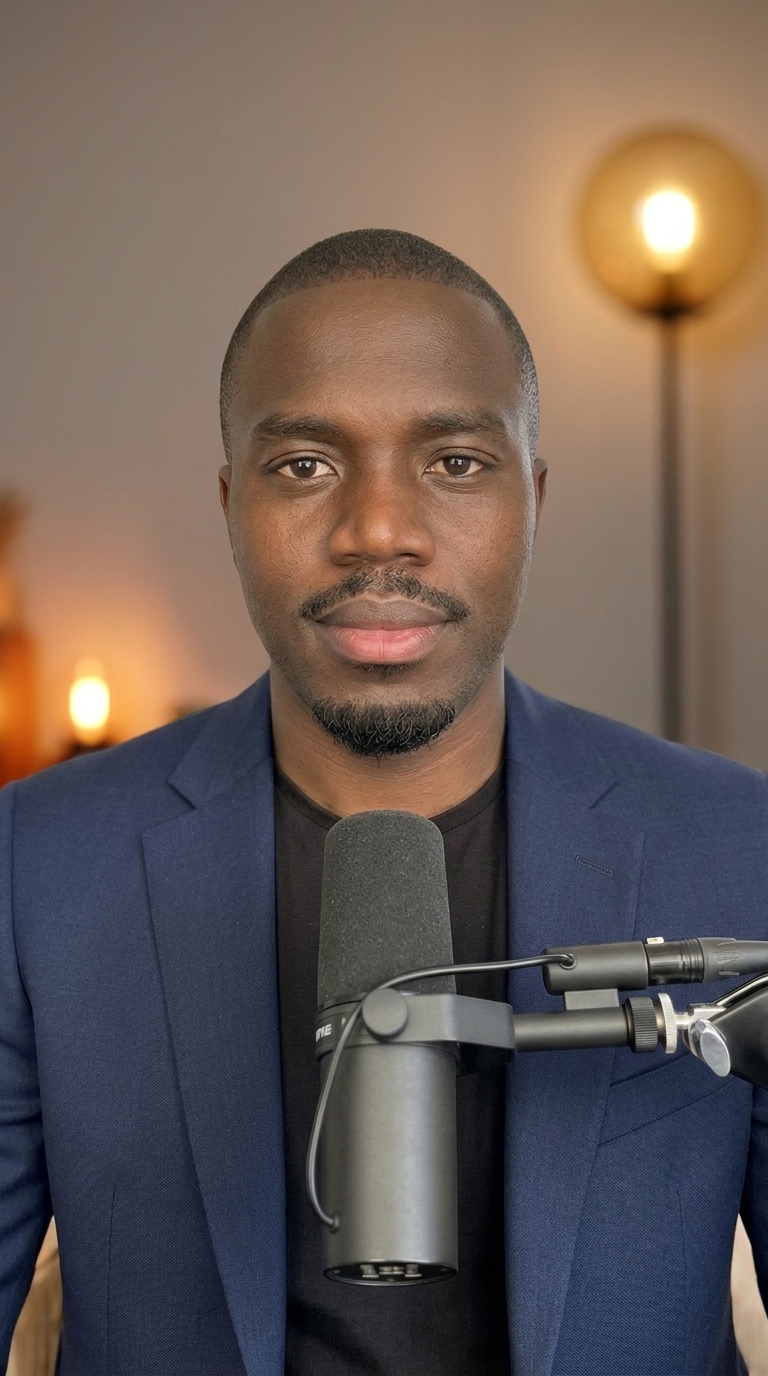
David Olaniyi 100% AI Digital Twin - Tailored Navy Suit Studio Portrait
The Hyper-Realistic AI Image & Digital Twin Masterclass

This entire studio portrait of me in the tailored navy suit on the left was generated 100% with AI—without a photographer, studio lighting, or camera. Inside this bonus, I'll hand you the exact workflow so you never have to sit in front of a camera to create studio portraits, thumbnails, or talking-head videos:

  • 100% Pixel-Locked Digital Twin Portraits: Generate photorealistic studio portraits of yourself in any suit, outfit, or setting while keeping your facial geometry 100% identical to your real face.
  • 1:1 AI Voice Clone & Avatar Sync: Turn any written script into a natural talking-head video ready to drop straight into Edit Studio 2.0.
BONUS #2: High AI Subscription Costs? No Problem.
SAVES: $210 / MONTH
INSIDER ACCESS GUIDE
$250/mo $40/mo
Google Gemini Ultra Plan
The "$40/Mo Google Gemini Ultra" Insider Access Blueprint

First, to be 100% transparent: Edit Studio 2.0 works right out of the box on standard Google Gemini Pro and Claude Code (and we recommend Gemini Pro for daily editing because Google gives very generous usage limits).

As an extra VIP bonus for power users and agencies, I'll also show you the legitimate step-by-step method to unlock Google's top-tier $250/month Gemini Ultra plan for roughly $40/month—saving you over $2,500/year.

What Creators, Editors & Agency Owners Are Saying

★★★★★
Before installing Edit Studio 2.0, a single 60-second reel with custom motion cards took me a full evening in After Effects. Last night I dropped a raw clip into the Studio, picked Glass Explainer, and had a finished 1080p master on my desktop in under 12 minutes. Being able to leave a note at 0:18 inside Edit Review and watch the AI fix the graphic by itself is worth 10x the $100 pass alone.
★★★★★
What sold me was that it runs right on my normal Google Gemini Pro account alongside Claude Code. Most AI video apps lock you into a $40/month subscription and give you generic captions that look like everyone else's. Here, Creator Setup locked in our agency's exact hex colors and fonts once, and now every video comes out looking hand-edited by a senior motion designer.
★★★★★
Just finished the 1-command setup on my MacBook and ran my first YouTube talking-head video through the Tips Breakdown style.
How did the rough cut and chapter cards turn out?
It stripped out 42 silences automatically and built every chapter card on beat. Saved me an entire Sunday of timeline work.
★★★★★
The "More From This Video" stage inside Edit Studio is a cheat code. From one 4-minute recording, it generated our main YouTube edit, 5 hook-tested vertical trial reels, and a 7-slide Instagram Photo Carousel without me re-editing a single frame. We went from posting 3 times a week to 18 pieces of content a week with zero extra filming.
★★★★★
We onboarded two new retainer clients this week specifically because of the multi-Brand Kit feature in Edit Studio.
Switched from Client A's brand colors to Client B's in one click and delivered their first 4 reels the same afternoon 🔥
★★★★★
I'm not technical at all and I've never opened Premiere Pro in my life. Having the visual Edit Studio dashboard at localhost:4191 where I just click words in the transcript to tighten the cut and preview the look before rendering made the whole process effortless. Hands down the smartest $100 I've spent on my business this year.

PLUS, WATCH ME AUTOMATE AN ENTIRE VIDEO LIVE SO YOU CAN MODEL THE ENTIRE PROCESS

We've refined this autonomous AI editing pipeline across 53 templates and two AI engines (Google Gemini Pro & Claude Code). And when we showed creators and agency owners how a single recording turns into a finished 1080p video, an Instagram carousel, and multiple trial reels without touching Premiere Pro, they asked us to walk them through the entire setup live.

So the Live "Zero-to-Installed" AI Editor Bootcamp on Sunday, November 22nd (4:00 PM – 8:00 PM GMT+1 Nigerian Time) was born!

  • LIVE 4-Hour "Zero-to-Installed" Virtual Setup Bootcamp on Sunday, November 22nd (4:00 PM – 8:00 PM GMT+1 Nigerian Time) + Lifetime HD Recording...
  • The Complete AI Editor & Edit Studio 2.0 Software Package (Runs locally on your Mac or Windows machine at localhost:4191 with $0/month software fees)...
  • All 53 Plug-and-Play Viral Editing Templates (37 Vertical 9:16 Reel Styles, 9 Horizontal 16:9 YouTube Editors & 7 Carousel, Story & Written Content Builders)...
  • Dual-Engine 1-Command Installer (install.sh) that installs all 53 skills into both Google Gemini Pro and Claude Code simultaneously...
  • Instant Redirect to the Private Buyers-Only WhatsApp Group to get your Pre-Bootcamp Readiness Checklist ("Prep #1"), software access, and live Q&A support before Sunday...
PLUS Your 2 Fast-Action VIP Bonuses Included FREE:
  • VIP BONUS #1: No Camera? No Problem — The Hyper-Realistic AI Image & Digital Twin Masterclass ($197 Value)
  • VIP BONUS #2: High AI Costs? No Problem — The "$40/Mo Google Gemini Ultra" Insider Access Blueprint (Saves $210/Month)
Live Bootcamp Date: Sunday, November 22nd • 4:00 PM – 8:00 PM (GMT+1 / Nigerian Time)
⚡ $100 Early-Bird Pass — Price Increases to $299 When the Countdown Hits Zero!

The total real-world value of this software package, all 53 templates, and the live setup bootcamp is over $1,388, but you can lock in your Founding Pass before the timer expires for a single one-time payment of just $100:

Currency:
✓ Instant local payment via Paystack (Card, Bank Transfer, USSD & Mobile Money)
OPTION 1 · EARLY-BIRD PASS (100 SPOTS)

Founding Cohort Pass

$299 $100 one-time
  • ✓ Live Bootcamp: Sun, Nov 22 (4PM–8PM WAT)
  • ✓ Edit Studio 2.0 + Edit Review App
  • ✓ All 53 Viral Editing Templates
  • ✓ Works on Gemini Pro & Claude Code
  • ✓ Both VIP Bonuses Included Free
  • ✓ Instant Buyers WhatsApp Group Access
OPTION 2 · ONLY 15 VIP SPOTS

VIP Pass + 30-Min 1:1 Call

$599 $150 one-time
  • ✓ Everything in the Founding Pass
  • ★ Private 30-Min 1-on-1 "AI 10x Revenue Deep-Dive" Consultation With Me ($300 Value)
  • ★ Custom 30-Day AI Revenue & Content Roadmap for Your Business
  • ★ Priority Live Hot-Seat Setup Review on Sunday, Nov 22nd
  • ✓ Instant WhatsApp Group + 1:1 Booking Link Shared Right After Training
LOCK IN YOUR SPOT Before the Countdown Hits Zero & the Price Increases

*NOTE: Because we expect all 100 Founding Cohort spots to sell out before Sunday, November 22nd at 4:00 PM Nigerian Time, registration is strictly first-come, first-served. Click below to lock in your spot now:

Frequently Asked Questions Before You Lock In Your Pass

The Live "Zero-to-Installed" Setup Bootcamp takes place on Sunday, November 22nd from 4:00 PM to 8:00 PM (GMT+1 / Nigerian Time). Immediately after payment, you join our Private Buyers-Only WhatsApp Group where your Pre-Bootcamp Readiness Checklist, software files, and live room link are posted—and you also receive the full HD recording forever.
Yes! Our Paystack checkout automatically accepts local debit cards, Instant Bank Transfer, USSD, and Mobile Money across Nigeria (₦150,000), Ghana (GH₵ 1,580), Kenya (KSh 13,000), as well as international Visa/Mastercard ($100).
It works right out of the box on standard Google Gemini Pro and Claude Code! One command installs all 53 templates into both at the same time. We love running daily edits on Google Gemini Pro because Google provides very generous usage limits. The $40/month Gemini Ultra method is simply an extra VIP bonus for your business.
Zero. You never touch a timeline or write code. You either open Edit Studio in your browser (localhost:4191), drop in your video, and click through the visual stages—or type a plain-English sentence in chat. And we install the entire thing together live on Sunday, November 22nd.
You receive the full downloadable HD recording of the entire 4-hour Live Setup Bootcamp forever. Because you receive immediate access to our private Buyers WhatsApp Group, pre-bootcamp setup materials, and downloadable software templates, all passes are final sale—just like a live event ticket—and 100% transferable to a colleague or friend if an emergency arises.
💬 STILL HAVE A QUESTION OR NEED HELP WITH PAYMENT?

Message Me Directly on WhatsApp

If you have any question about the Live Bootcamp on Sunday, November 22nd (4:00 PM – 8:00 PM Nigerian Time) or need assistance completing your payment from Nigeria, Ghana, or Kenya, message me directly on WhatsApp:

💬 Chat With David on WhatsApp (+33 6 98 17 03 35) →
AO
Adebayo O. from Lekki, Lagos 🇳🇬
Locked in a Founding Pass • 3 mins ago ✓